
Download Stealther – Anonymous Browsing Add‑on for Firefox
Overview
In an era where Internet Service Providers (ISPs) and advertising networks constantly monitor every click, the need for a truly private browsing experience has never been greater. Stealther steps into this space as a lightweight Firefox add‑on that focuses on erasing local traces of your online activity rather than routing your traffic through a proxy or VPN. By disabling the browser’s history, cookies, cache, form data, referrer headers, and even the list of recently closed tabs, Stealther ensures that nothing is written to your hard drive while you surf.
This approach makes it especially appealing for users who want a “clean slate” every time they close Firefox, without the overhead of encrypted tunnels or third‑party servers. While it does not guarantee absolute anonymity on every website—especially those that enforce strict HTTPS or rely on complex scripts—Stealther still provides a more thorough local privacy shield than Firefox’s built‑in Private Browsing mode. The add‑on’s recent update introduces a convenient toolbar button, a status‑bar icon, a customizable shortcut key, and an expanded options dialog that now includes control over the “Recently Closed Tabs” feature.
In the sections that follow, we’ll explore Stealther’s core capabilities, walk through the installation process, discuss system compatibility, and weigh the pros and cons to help you decide whether this tool fits your privacy toolbox.
Features & How It Works
- History Suppression: Completely blocks the creation of browsing history entries, including the auto‑suggested URLs that appear in the address bar.
- Cookie Blocking: Prevents cookies from being stored, which stops trackers from linking your visits across sessions.
- Cache & File History Removal: Disables disk cache and removes any record of downloaded files from Firefox’s internal logs.
- Form Data & Referrer Header Control: Stops saved form entries and eliminates the referrer header, reducing the amount of information sent to target sites.
- Recently Closed Tabs Management: Option to hide the list of tabs you closed recently, ensuring that even a quick “reopen closed tab” action cannot reveal past activity.
- Toolbar Button & Shortcut Key: One‑click activation/deactivation from the toolbar and a user‑defined keyboard shortcut for instant privacy toggling.
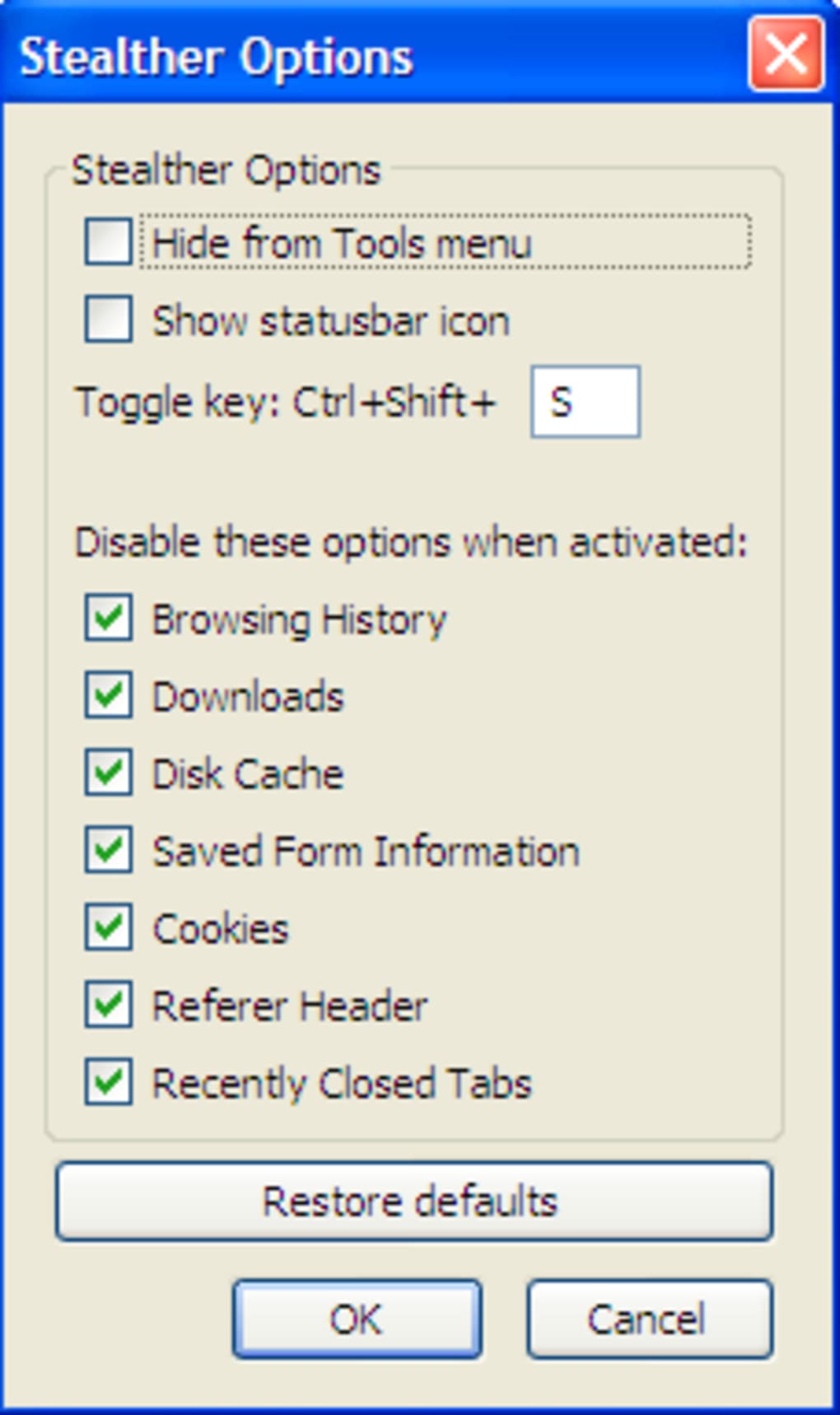
- Customizable Options Dialog: Fine‑tune which privacy components you want to disable, giving you granular control over the add‑on’s behavior.
Stealther’s design philosophy is simplicity. Instead of creating a separate network path, it works directly within Firefox’s architecture to prevent any data from being written locally. When you enable Stealther, the add‑on intercepts calls to the browser’s internal storage APIs and replaces them with “no‑op” functions.
For example, when a website attempts to set a cookie, Stealther returns a failure response, effectively neutralizing the request. Similarly, when you type a URL, the add‑on suppresses the auto‑complete suggestions by clearing the in‑memory history buffer before the address bar renders. Because the tool does not encrypt or reroute traffic, it does not introduce latency associated with VPNs or proxy servers.
However, users may notice slower image loading on some sites because the cache is disabled, and certain scripts that rely on referrer data may not function correctly. This trade‑off is intentional: the priority is to leave no residual footprint on the local machine, not to guarantee end‑to‑end encryption.
Installation, Usage & Compatibility
Step‑by‑step installation:
- Open Firefox and navigate to the Stealther add‑on page on Mozilla’s Add‑ons Marketplace.
- Click the “Add to Firefox” button. Firefox will prompt you to confirm the permissions required by the add‑on (access to browsing data, history, cookies, etc.).
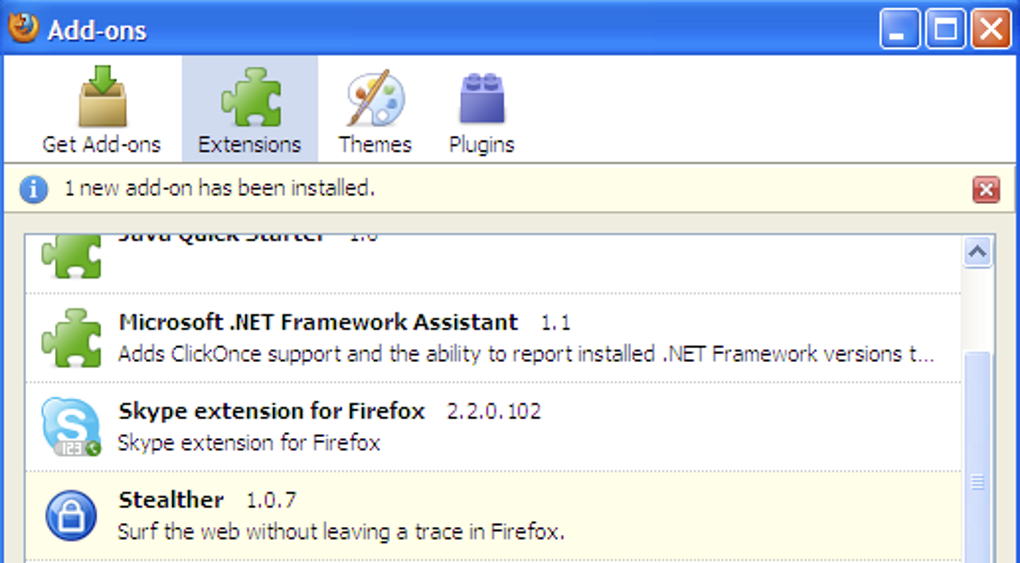
- After confirming, the add‑on will download and automatically install. A small toolbar icon appears next to the address bar, indicating that Stealther is ready.
- Click the icon or press the shortcut key you configured (default is Ctrl+Shift+S) to toggle privacy mode on or off.
- Open the options dialog (right‑click the toolbar icon → “Options”) to customize which components—history, cookies, cache, form data, referrer header, or recently closed tabs—you want to block.
Usage tips: For maximum privacy, enable Stealther before you start a browsing session and keep it active until you close Firefox. If you need to bookmark a page, do so before activating the add‑on, as the bookmark manager itself is not affected by Stealther’s privacy filters. Remember that the address bar will no longer suggest previously visited URLs, so you may want to keep a list of favorite sites handy or use the built‑in bookmarks toolbar.
Compatibility: Stealther is built specifically for the desktop version of Firefox on Windows, macOS, and Linux. It requires Firefox 78 or later because it relies on the WebExtensions API introduced in that release. Mobile versions of Firefox (Android or iOS) do not support this add‑on due to the platform’s restricted extension framework.
Users on older operating systems should ensure they are running a recent Firefox build to avoid compatibility warnings. The add‑on does not interfere with other privacy extensions (e.g., uBlock Origin, HTTPS Everywhere), but overlapping functionalities—such as cookie blocking—may cause redundant actions. In most cases, Stealther coexists peacefully with other tools, offering an extra layer of local data protection without compromising performance dramatically.
Pros & Cons
Pros
- Zero‑trace local browsing—no history, cookies, cache, or form data saved.
- Lightweight; does not route traffic through external servers, preserving speed for most sites.
- Simple toggle via toolbar button or keyboard shortcut for on‑the‑fly privacy.
- Customizable options let you choose exactly which data types to block.
- Works better than Firefox’s built‑in Private Browsing for local data erasure.
Cons
- Does not provide network‑level anonymity; IP address and ISP tracking remain possible.
- May break functionality on websites that rely on cookies, referrer headers, or cached assets.
- Image loading can be noticeably slower because the disk cache is disabled.
- Not compatible with Firefox on Android or iOS, limiting use to desktop environments.
- Requires manual re‑entry of URLs unless they are bookmarked, which can be inconvenient.
FAQ & Conclusion
Does Stealther replace Firefox’s Private Browsing mode?
Stealther complements Private Browsing by focusing on local data removal. While Private Browsing hides history from the UI, it still writes temporary files to disk. Stealther prevents those files from being created at all, offering a deeper level of local privacy.
Can I use Stealther with a VPN for full anonymity?
Yes. Stealther does not interfere with VPN connections. Pairing the add‑on with a reputable VPN adds network‑level anonymity (IP masking) to the local privacy benefits Stealther provides.
Will Stealther affect the performance of streaming services?
Streaming platforms rely heavily on cached video segments for smooth playback. Because Stealther disables the disk cache, you may notice slightly longer buffering times, especially on slower connections. However, video still plays; the impact is primarily on load speed, not functionality.
Is my browsing data still visible to my ISP?
Stealther only stops data from being stored on your computer. It does not encrypt your traffic, so ISPs can still see the domains you visit. For full ISP‑level privacy, combine Stealther with a VPN or Tor.
How do I disable Stealther temporarily without uninstalling it?
Click the toolbar icon or press the shortcut key you configured. The icon changes color to indicate the current state (active vs. inactive). You can also open the options dialog and toggle the “Enable Stealther” switch.
Final Verdict: If your primary concern is preventing Firefox from leaving any trace of your browsing activity on your own device, Stealther is a solid, free solution that outperforms the browser’s native Private Browsing mode. Its lightweight design means you won’t experience the latency associated with VPNs, and the customizable toolbar makes toggling privacy on and off effortless. However, remember that Stealther does not hide your traffic from ISPs or the sites you visit, and it may cause minor inconveniences on media‑heavy or heavily scripted sites. For users who already employ a VPN or who simply need a “clean‑room” environment for occasional private sessions, Stealther adds valuable defense‑in‑depth without extra cost.
Ready to surf the web without leaving a local footprint? Download Stealther now and protect your browsing history with a single click.
Overall Rating: 4 out of 5 stars
Pros: Zero local trace, easy toggle, lightweight.
Cons: No network‑level anonymity, occasional site breakage.







